
MP4 is the universal video format. It plays on every phone, laptop, smart TV and editing app, and it's the format TikTok itself uses to store videos. Our TikTok to MP4 downloader fetches that original MP4 from a public video link and hands it to you without the bouncing TikTok watermark, so you get a clean file that's ready to watch or edit.
How to use it in 3 steps
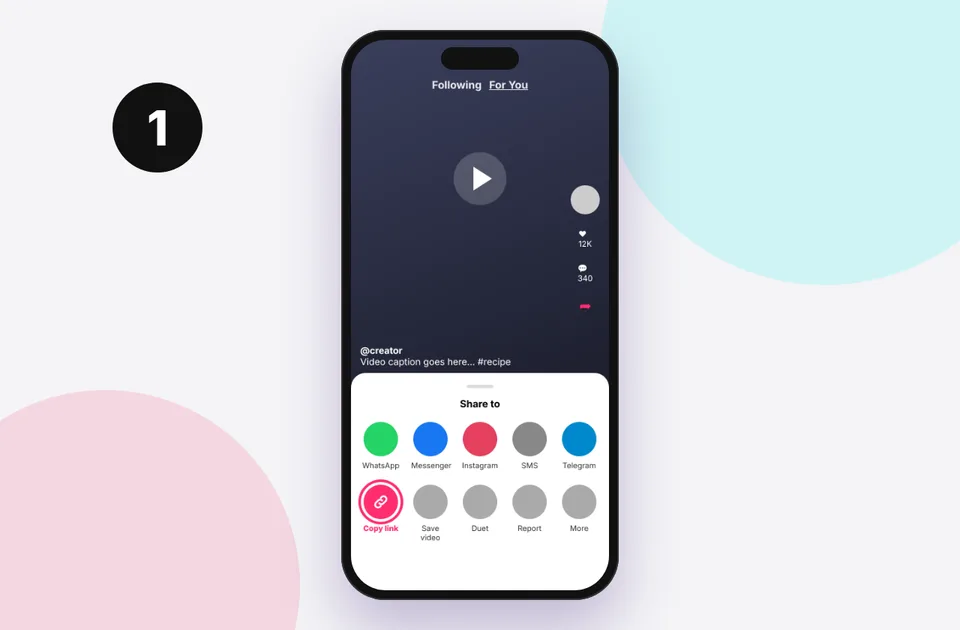
1. Copy the link
In TikTok tap Share → Copy link, or copy the address bar on a computer.
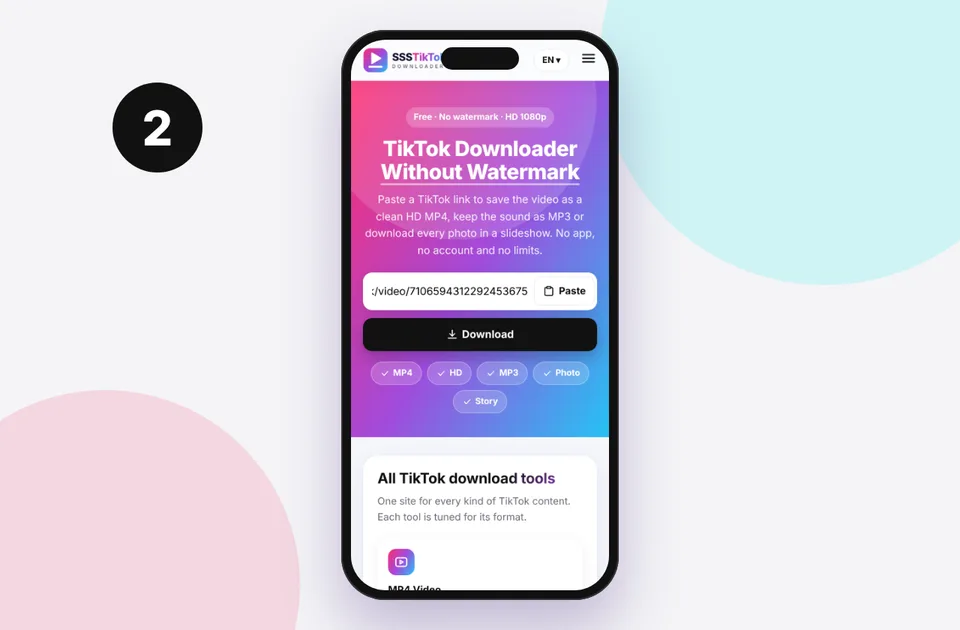
2. Paste and press Download
Paste into the box above. Short vm.tiktok.com and vt.tiktok.com links work too.
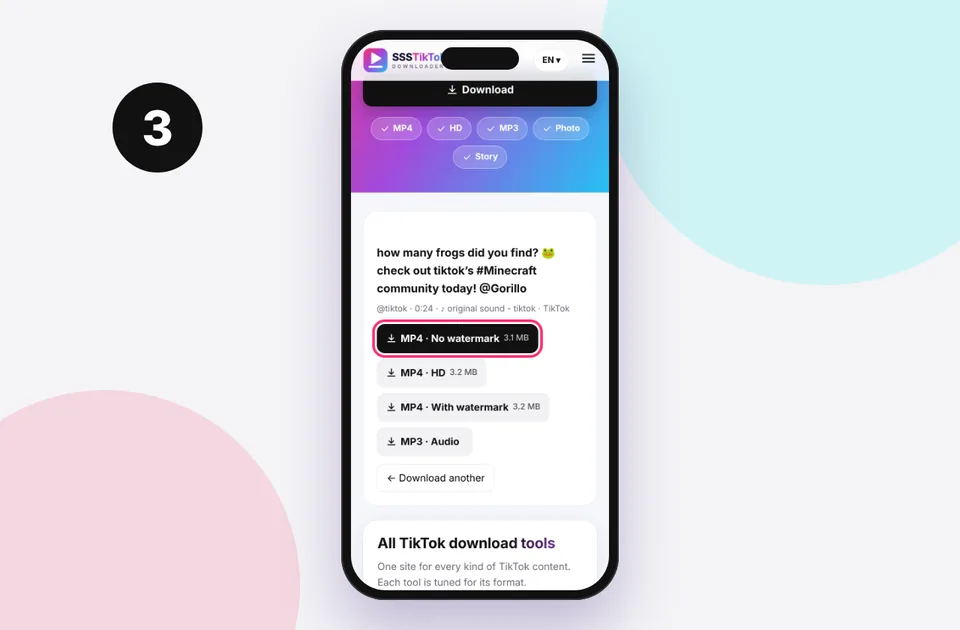
3. Choose and save
Pick the format you need and the file saves to your device's Downloads.
Why download TikTok as MP4 instead of using "Save video"
TikTok's built-in Save video button has three drawbacks:
- It burns in a moving watermark with the TikTok logo and the creator's username, which jumps between corners during playback.
- It's often re-compressed, so the saved file can look softer than what you saw in the app.
- Creators can switch it off, and it's often missing on videos with licensed music.
Downloading the MP4 through this page avoids all three for any public video. If a creator has made a video private, we can't and won't access it. See private TikTok video download for why.
Which MP4 option should I choose?
After you press Download, you may see several buttons. Here's what they mean:
| Option | What it is | Best for |
|---|---|---|
| --- | --- | --- |
| MP4 · No watermark | The clean original file | Watching, editing, archiving |
| MP4 · HD | The highest resolution TikTok has, often 1080p | Big screens, re-editing your own clips |
| MP4 · With watermark | The version with TikTok branding | Sharing with credit visible |
| MP3 · Audio | Just the soundtrack | Music, ringtones |
Not every video has an HD file. If the creator uploaded in 720p, that's the best version that exists. Our HD vs SD explainer explains why, and the TikTok HD downloader always puts the highest resolution first.
Technical details of the MP4 file
- Container: MP4 (ISO base media)
- Video codec: usually H.264 (AVC). Some newer uploads are H.265 (HEVC), which plays on recent phones and computers.
- Audio: AAC, typically 44.1 kHz stereo
- Aspect ratio: usually 9:16 vertical, sometimes 1:1 or 16:9
- File size: roughly 5 to 15 MB per minute at 720p and 1080p
This is the same file TikTok streams, so we never upscale, crop or re-encode it. For a full breakdown, see TikTok to MP4 quality explained.
Downloading MP4 on each device
iPhone and iPad
Safari saves the MP4 to Files → Downloads. Open it, tap Share and choose Save Video to put it in Photos. The iPhone guide and iPad guide walk through it with screenshots, and our camera roll guide covers moving files into Photos.
Android
The MP4 goes straight to Download and shows up in Gallery or Google Photos. See the Android guide.
Windows and Mac
If the video opens in a player tab, right-click it and choose Save video as…, or right-click the button and choose Save link as…. See the PC guide and Mac guide.
Editing your MP4
Because the file has no watermark, it's perfect for re-editing your own TikToks: trimming, adding captions, or reposting to Instagram Reels or YouTube Shorts without TikTok branding. CapCut, iMovie, Premiere Pro, DaVinci Resolve and Windows Clipchamp all open the file directly. If you're editing someone else's video, get their permission and credit them. Removing a watermark doesn't remove the creator's rights. Our watermark guide covers the etiquette.
Common MP4 problems
If the MP4 plays without sound, the music was probably muted by TikTok (see no sound after download). If it looks blurry, choose the HD option or read low quality downloads. If nothing happens at all, start with TikTok download not working.
Supported TikTok links
Paste any of these. You can even paste a whole message, and the link is picked out automatically:
- Share links: vm.tiktok.com/… and vt.tiktok.com/…
- Video pages: tiktok.com/@creator/video/…
- Photo posts: tiktok.com/@creator/photo/…
- Mobile web: m.tiktok.com/v/…
Profiles, sound pages, hashtags and live streams aren't single posts, so they can't be downloaded. If you see an error, read TikTok link invalid or the full errors and fixes list.
Quick device reference
| Device | Best browser | Where files go | Full guide |
|---|---|---|---|
| iPhone | Safari | Files → Downloads, then Share → Save Video | iPhone guide |
| iPad | Safari | Files → Downloads | iPad guide |
| Android | Chrome or Samsung Internet | Download folder and Gallery | Android guide |
| Windows | Chrome, Edge or Firefox | This PC → Downloads (Ctrl + J) | PC guide |
| Mac | Safari or Chrome | Finder → Downloads | Mac guide |
Lost a file? Our page on where TikTok downloads are saved covers every brand and browser.
Safe, private and respectful
- No login, ever. We never ask for your TikTok password. Treat any site that does as a phishing risk.
- No installs. Everything runs in your browser. Ignore any advert that offers an app, extension or "codec".
- No history. Results are cached for about 15 minutes, then deleted. See the privacy policy.
- Public content only. We don't bypass private accounts or deleted posts.
- Credit creators. Saving for personal use is common, but reposting needs permission. Read is it legal to download TikTok videos?
Frequently asked questions
Is the MP4 really without watermark?
Yes. The “MP4 · No watermark” option is the original file without the TikTok logo or username overlay.
Will the MP4 play on my TV or computer?
Yes. It's standard H.264 MP4, which plays on virtually any device. A few newer uploads use HEVC, which needs a recent device or the free VLC player.
Why is there no HD option?
The creator only uploaded at standard resolution, or TikTok hasn't processed an HD version. We always show the best version available.
Is there a file size or length limit?
No. Long videos simply take longer to save on slow connections.
Do you add your own watermark?
No. We never add branding to your files.
Can I download several videos at once?
Paste one link at a time. Each download only takes a few seconds.