
TikTok Download Not Working? 12 Fixes
Twelve proven fixes, in order from quickest to most thorough, for when a TikTok just won't download.
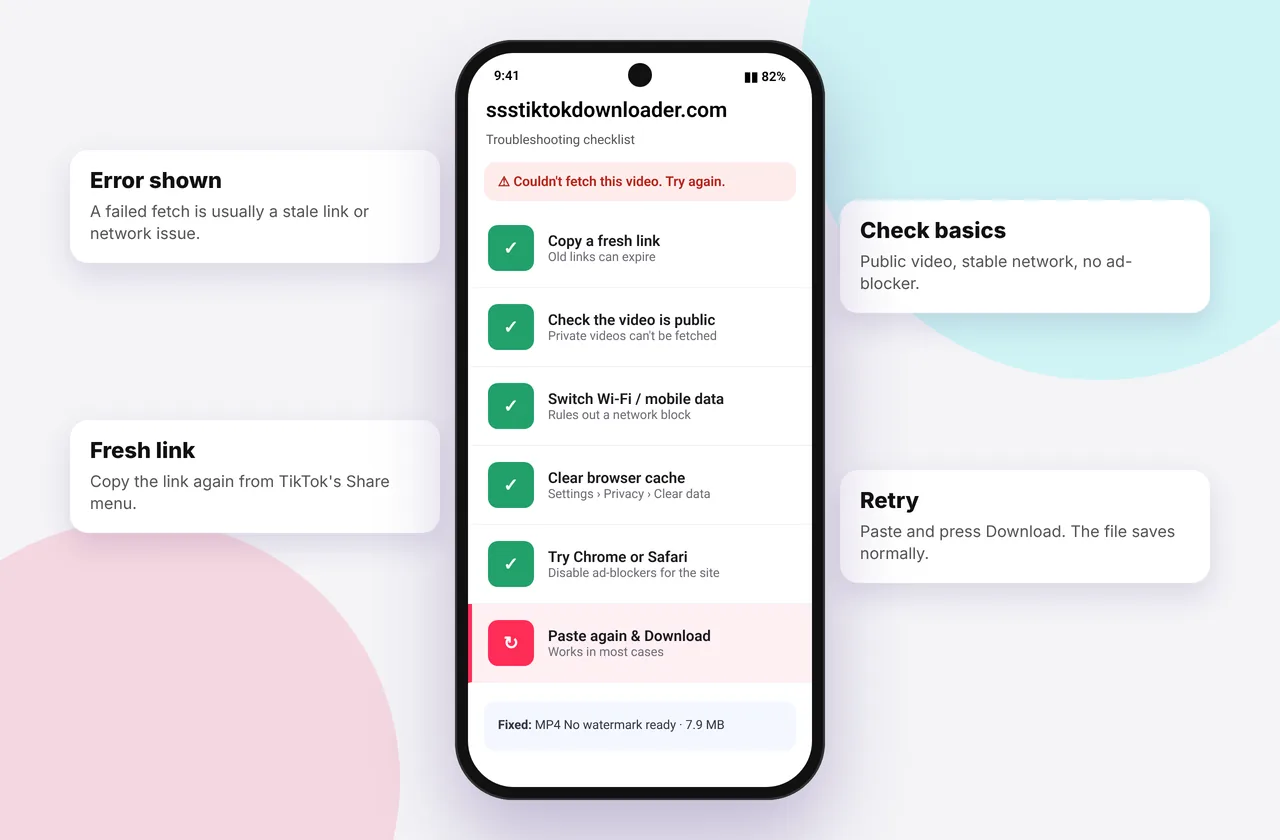
When a download fails, it's tempting to try a different site. Usually the cause is something simple that would fail anywhere. Work through these fixes in order. Most people are sorted by fix 4.
Work through these checks, then try our TikTok downloader without watermark again with a freshly copied link.
Fixes for links that won't process
- Re-copy the link. Go back to TikTok, tap Share → Copy link and paste again. Copying from the caption, comments or a screenshot often grabs the wrong text. Guide: how to copy a TikTok link.
- Check it's a video or photo post. Links ending in /@username (profiles), /music/ (sounds) or /tag/ aren't posts. See TikTok link invalid.
- Test if it's public. Open the link in a private or incognito window. If TikTok asks you to log in or says "Video unavailable", it's private, deleted or restricted (private videos).
- Wait and retry. TikTok sometimes slows down requests. Wait 30–60 seconds. If you saw "Too many requests", give it a minute.
Fixes for buttons that do nothing
- Refresh the page (pull down on mobile, or press F5 / ⌘ + R).
- Allow downloads and pop-ups for the site. On iPhone check Settings → Safari. In Chrome, check the blocked-download icon in the address bar.
- Long-press or right-click the download button and choose Download Linked File (Safari) or Save link as… (Chrome or Edge).
- Try another browser. Safari on iPhone and Chrome on Android are the most reliable.
Fixes for stuck or failed downloads
- Switch networks. Change from mobile data to Wi-Fi or the other way round. Corporate and school networks sometimes block media servers.
- Turn off VPN, proxy or ad-blocking DNS temporarily. Some block TikTok's video servers.
- Free up storage. A full phone fails silently. You need at least 2–3 times the video's size free.
- Update your browser and OS. Very old versions can't handle modern downloads. iOS needs version 13 or later.
Still nothing? Try the same link on another device. If it fails everywhere, the video is almost certainly restricted, or TikTok is having an outage, which you can check on TikTok's social accounts or an outage tracker.
It downloaded, but…
- …there's no sound: no sound after download
- …it's blurry: low quality downloads
- …I can't find it: where TikTok downloads are saved
Device notes
- iPhone: files go to Files → Downloads first (iPhone guide).
- Android: if a download says "pending", restart Chrome (Android guide).
- PC: videos may play in a tab. Use Save link as… (PC guide).
Report a bug
If a public video fails on several devices, email the link and the error to contact@ssstiktokdownloader.com (contact page). TikTok changes its systems regularly, and reports help us adapt quickly. See all errors in the errors and fixes hub.
Worked example: "nothing happens" on iPhone
You tap MP4 · No watermark and nothing seems to happen. The usual cause is that Safari opened the video in a player behind the page, or it's waiting for you to confirm. Look for a small Download prompt at the bottom. If there isn't one, long-press the button and choose Download Linked File. Then tap the blue arrow in the address bar to watch the progress.
Worked example: "download failed" on Windows
Chrome's download bar shows "Failed – Network error". Turn off your VPN, then click Resume or download again. If you're on a school or office network, it may block media servers, so try a phone hotspot to confirm.
Things that don't help
- Pasting the same failed link repeatedly. Wait a minute between attempts so you don't trigger the rate limit.
- Clearing all your browser data. Usually a refresh is enough.
- Installing a "fixer" app or extension advertised in a pop-up.
Quick device reference
| Device | Best browser | Where files go | Full guide |
|---|---|---|---|
| iPhone | Safari | Files → Downloads, then Share → Save Video | iPhone guide |
| iPad | Safari | Files → Downloads | iPad guide |
| Android | Chrome or Samsung Internet | Download folder and Gallery | Android guide |
| Windows | Chrome, Edge or Firefox | This PC → Downloads (Ctrl + J) | PC guide |
| Mac | Safari or Chrome | Finder → Downloads | Mac guide |
Lost a file? Our page on where TikTok downloads are saved covers every brand and browser.
Every SSSTikTok tool
Safe, private and respectful
- No login, ever. We never ask for your TikTok password. Treat any site that does as a phishing risk.
- No installs. Everything runs in your browser. Ignore any advert that offers an app, extension or "codec".
- No history. Results are cached for about 15 minutes, then deleted. See the privacy policy.
- Public content only. We don't bypass private accounts or deleted posts.
- Credit creators. Saving for personal use is common, but reposting needs permission. Read is it legal to download TikTok videos?
Frequently asked questions
Why is TikTok download not working today?
The most common causes are a wrong or private link, a temporary TikTok slowdown or your browser blocking the download.
Does it work with VPN?
Usually yes, but some VPNs and ad-blocking DNS services block media servers. Turn them off briefly to test.
Why does the Download button do nothing on iPhone?
Long-press it and choose “Download Linked File”, and check Safari's download settings.
Is SSSTikTok down?
If public videos fail on several devices and networks, email us. Usually it's a link or network issue.