
TikTok Video Has No Sound After Download
Why downloaded TikToks are sometimes silent, and what you can do about it.
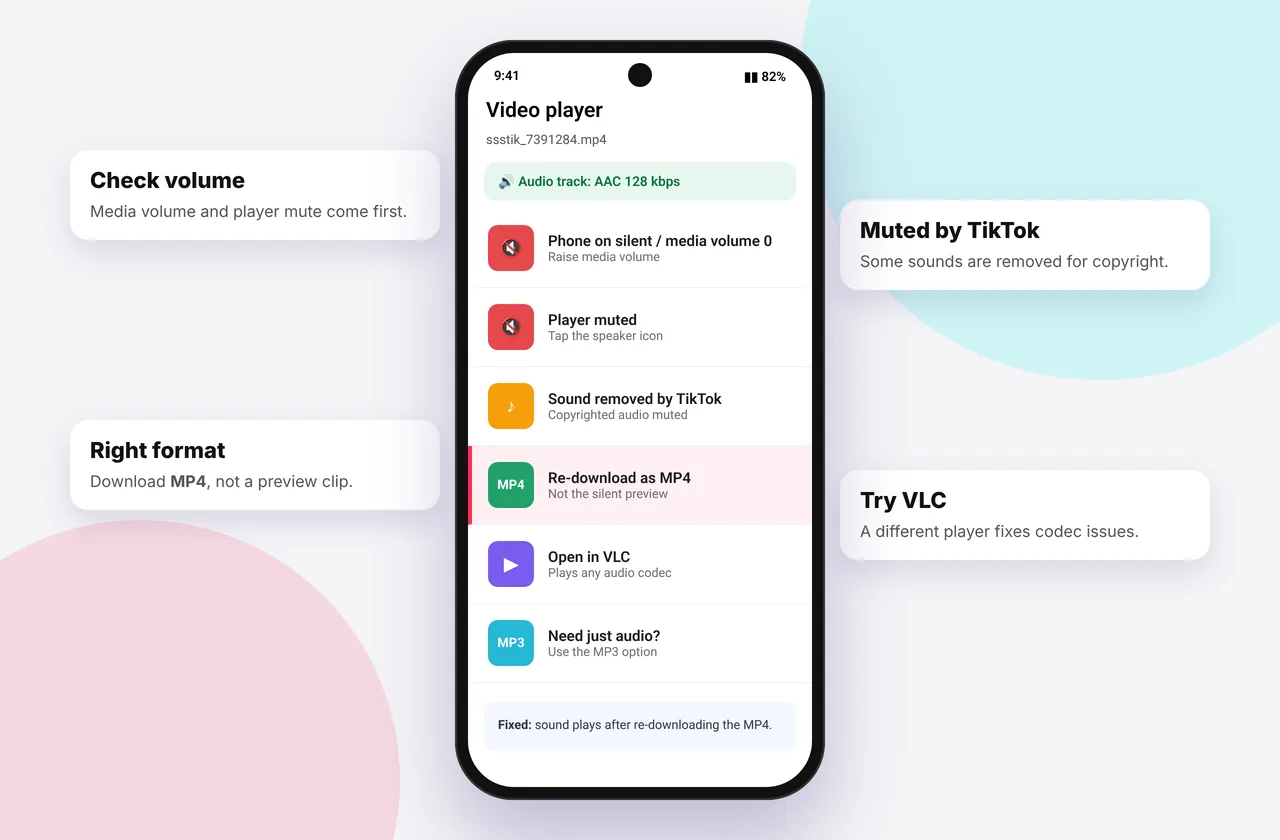
A silent download is frustrating, especially when the video played with sound in the app. There are four main causes. One is outside anyone's control, and the others are easy to fix.
When you save TikTok videos with our tool, the original audio track is kept whenever TikTok provides one.
Cause 1: TikTok muted the music (most common)
TikTok licenses music by region and by account type. When a licence ends, a rights holder files a claim, or a business account uses a song that isn't commercially licensed, TikTok mutes the soundtrack in the stored file. You may still hear it in the app in some regions, but the file we receive has no audio, or has a banner saying "This sound isn't available".
How to check: open the video in TikTok while logged out or in a browser. If it's silent there or shows a muted-sound notice, the audio is gone at the source. No downloader can restore it.
What you can do: tap the sound name in TikTok to find other videos using the same sound, or search the song on a music service.
Cause 2: You downloaded a photo slideshow's images
Slideshow photos are images, so they have no sound. Download the MP3 separately with the photo downloader or the MP3 downloader, and combine them using our slideshow to video guide.
Cause 3: Your player doesn't support the audio
Very occasionally a file plays video but not audio because the player lacks a codec, or because the device's volume or mute switch is on.
- Check the mute switch (iPhone) and the media volume (Android).
- Try VLC, which plays every TikTok format.
- On Windows, install the HEVC extension if the video codec is the issue.
Cause 4: An interrupted download
If your connection dropped, the file may be incomplete. Delete it and download again on a stable connection. See download not working.
Quick test: download the MP3 · Audio option for the same video. If the MP3 is silent too, the sound was removed by TikTok (cause 1).
Preventing silent downloads of your own videos
Creators can avoid muted audio by:
- Using sounds from TikTok's Commercial Music Library on business accounts
- Recording original sound
- Downloading your videos soon after posting, before licences change
Related help
Step-by-step diagnosis
- Play the downloaded file with the volume up and the iPhone mute switch off.
- Open the original video on tiktok.com in a private window. Is there sound? Is there a notice saying the sound is unavailable?
- Download the MP3 option for the same link. If it's silent, the audio was removed at the source.
- Open the MP4 in VLC. If VLC plays the sound, your default player lacks a codec.
- Download again on a stable connection if the file seems shorter than the original.
Worked example
A dance video plays with music in the app, but the download is silent. In a private browser window, the video shows "Sound unavailable". That tells you the song's licence was pulled. The creator's original upload had music, but TikTok now serves a muted copy to everyone, including downloaders.
Mistakes to avoid
- Assuming the downloader stripped the sound. We pass the audio through untouched.
- Re-encoding the silent file in an editor and hoping the sound comes back. It isn't there.
- Forgetting that slideshows store music separately from the images.
Quick device reference
| Device | Best browser | Where files go | Full guide |
|---|---|---|---|
| iPhone | Safari | Files → Downloads, then Share → Save Video | iPhone guide |
| iPad | Safari | Files → Downloads | iPad guide |
| Android | Chrome or Samsung Internet | Download folder and Gallery | Android guide |
| Windows | Chrome, Edge or Firefox | This PC → Downloads (Ctrl + J) | PC guide |
| Mac | Safari or Chrome | Finder → Downloads | Mac guide |
Lost a file? Our page on where TikTok downloads are saved covers every brand and browser.
Every SSSTikTok tool
Safe, private and respectful
- No login, ever. We never ask for your TikTok password. Treat any site that does as a phishing risk.
- No installs. Everything runs in your browser. Ignore any advert that offers an app, extension or "codec".
- No history. Results are cached for about 15 minutes, then deleted. See the privacy policy.
- Public content only. We don't bypass private accounts or deleted posts.
- Credit creators. Saving for personal use is common, but reposting needs permission. Read is it legal to download TikTok videos?
Frequently asked questions
Why does my TikTok download have no sound?
Usually TikTok muted the music for copyright or licensing reasons.
Can SSSTikTok restore muted audio?
No. If TikTok removed the audio, it isn't in the file.
Why did the MP3 download fail or come out silent?
The track was muted or removed from that video.
Does it happen with original sounds?
Rarely, usually only after a copyright claim.