
Many "HD" downloaders simply rename a compressed file. Our TikTok HD downloader checks every version of a video TikTok stores and puts the highest-resolution, highest-bitrate file at the top of the results. If a 1080p file exists, you'll see MP4 · HD first. You get exactly what the creator uploaded, with no upscaling and no re-encoding.
How to use it in 3 steps
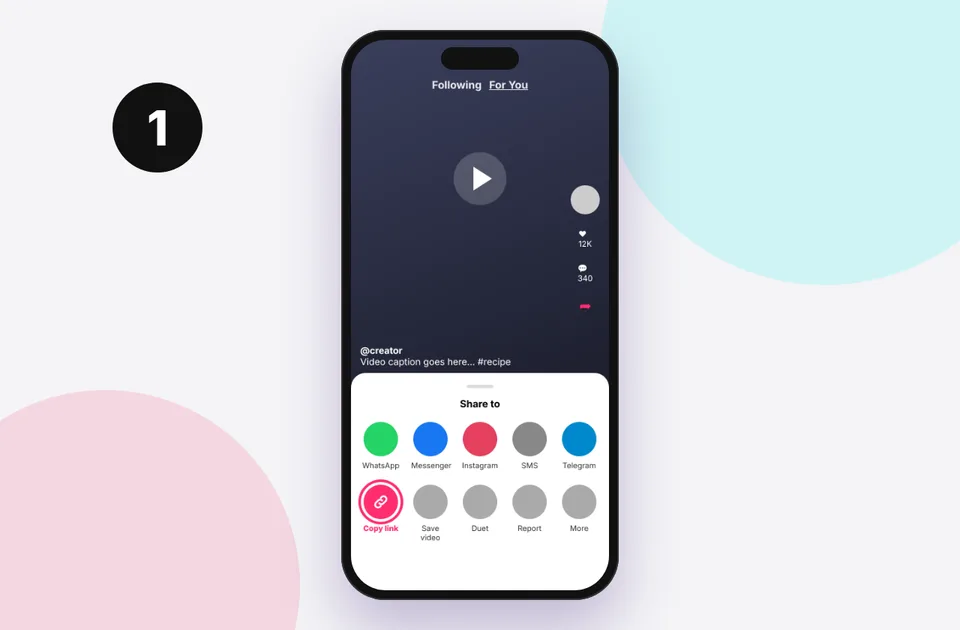
1. Copy the link
In TikTok tap Share → Copy link, or copy the address bar on a computer.
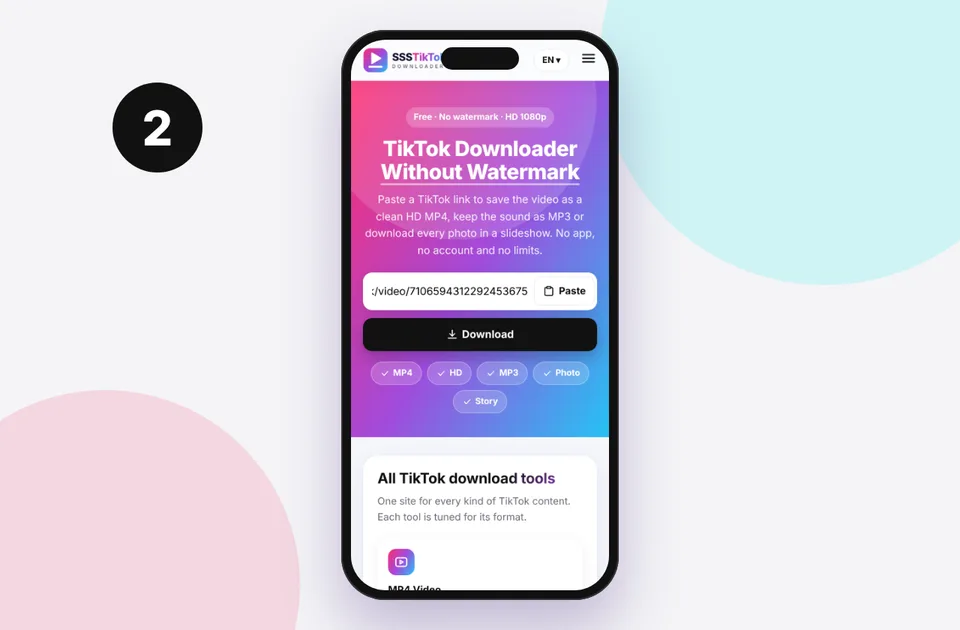
2. Paste and press Download
Paste into the box above. Short vm.tiktok.com and vt.tiktok.com links work too.
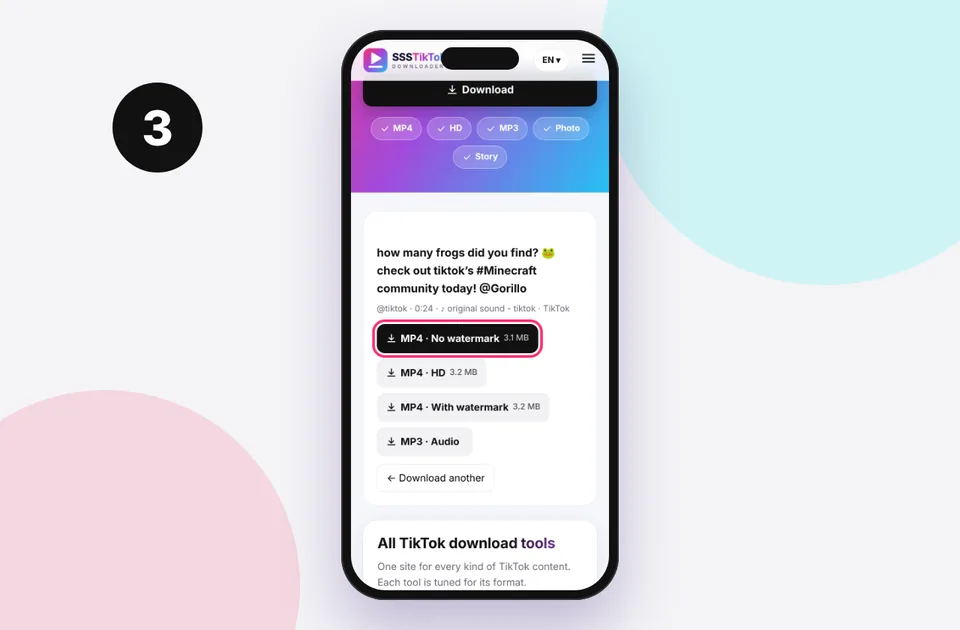
3. Choose and save
Pick the format you need and the file saves to your device's Downloads.
How TikTok stores video quality
When a creator uploads, TikTok makes several copies at different sizes and bitrates so the app can switch between them depending on your connection. A typical upload has:
- a 1080p version (1080×1920) for creators who upload in HD and on fast connections
- a 720p version (720×1280), the most common default
- a lower 540p version for weak signals
The app on mobile data often plays 540p or 720p even when 1080p exists, so a downloaded HD file can look sharper than what you saw in the app. Find out more in TikTok HD vs SD.
When a video is not available in HD
There's no HD button when:
- The creator uploaded below 1080p. Older phones, screen recordings and re-uploads are often 720p or lower.
- The video was uploaded with TikTok's "Upload HD" setting turned off. TikTok then keeps only a compressed version.
- It's a reposted or stitched video, which TikTok re-encodes.
In those cases the standard MP4 is already the best file that exists, and no tool can add real detail. "AI upscalers" can make a file bigger, but they invent detail rather than recovering it.
Tip for creators: in TikTok, open Settings → Data saver and make sure it's off, and turn on Upload HD in the post screen before publishing. Your followers and your own downloads will then get 1080p.
Getting the best HD results
- Download on Wi-Fi. HD files are larger, about 8 to 15 MB per minute, and a dropped mobile connection can cut the download short.
- Use the original link, not a link to a repost or a duet.
- Don't re-save through messaging apps. WhatsApp, Messenger and Telegram (unless you send it as a file) compress video heavily.
- For editing, import the HD MP4 directly. Exporting again at 1080p keeps the detail.
HD on iPhone, Android and computer
The HD option works on every device. On iPhone, Safari saves to Files, and you can move the clip to Photos with Share → Save Video (iPhone guide). On Android, it goes to Downloads (Android guide). On a computer, use Save link as… if the video opens in a tab instead (PC guide).
Is 4K available?
No. TikTok doesn't currently deliver 4K playback files to viewers, even if a creator filmed in 4K. The maximum we can provide is the maximum TikTok stores, which is 1080p for nearly all videos. Be wary of sites promising "TikTok 4K", which upscale the file.
Related tools
Need only the sound? Use the TikTok MP3 downloader. For slideshows, use the photo downloader, which saves every image at full size. If your HD download still looks blurry, see why TikTok downloads are low quality.
Supported TikTok links
Paste any of these. You can even paste a whole message, and the link is picked out automatically:
- Share links: vm.tiktok.com/… and vt.tiktok.com/…
- Video pages: tiktok.com/@creator/video/…
- Photo posts: tiktok.com/@creator/photo/…
- Mobile web: m.tiktok.com/v/…
Profiles, sound pages, hashtags and live streams aren't single posts, so they can't be downloaded. If you see an error, read TikTok link invalid or the full errors and fixes list.
Quick device reference
| Device | Best browser | Where files go | Full guide |
|---|---|---|---|
| iPhone | Safari | Files → Downloads, then Share → Save Video | iPhone guide |
| iPad | Safari | Files → Downloads | iPad guide |
| Android | Chrome or Samsung Internet | Download folder and Gallery | Android guide |
| Windows | Chrome, Edge or Firefox | This PC → Downloads (Ctrl + J) | PC guide |
| Mac | Safari or Chrome | Finder → Downloads | Mac guide |
Lost a file? Our page on where TikTok downloads are saved covers every brand and browser.
Safe, private and respectful
- No login, ever. We never ask for your TikTok password. Treat any site that does as a phishing risk.
- No installs. Everything runs in your browser. Ignore any advert that offers an app, extension or "codec".
- No history. Results are cached for about 15 minutes, then deleted. See the privacy policy.
- Public content only. We don't bypass private accounts or deleted posts.
- Credit creators. Saving for personal use is common, but reposting needs permission. Read is it legal to download TikTok videos?
Frequently asked questions
Does the HD downloader support 1080p?
Yes. When TikTok has a 1080p file, it's offered first as “MP4 · HD”.
Can I download TikTok in 4K?
No. TikTok doesn't store 4K playback files for viewers, and 1080p is the maximum available.
Why is the HD file bigger?
Higher resolution and bitrate mean more data, about 8 to 15 MB per minute.
Is the HD version watermark-free?
Yes. HD downloads have no TikTok logo or username overlay.
Why does my HD video look the same as SD?
The source was probably uploaded at a low resolution. The HD label reflects the best version TikTok has.
Does HD work on iPhone?
Yes. iPhones play 1080p H.264 and HEVC files natively.