
Can You Download Private TikTok Videos?
The honest answer about private TikToks, and the legitimate ways to save your own.
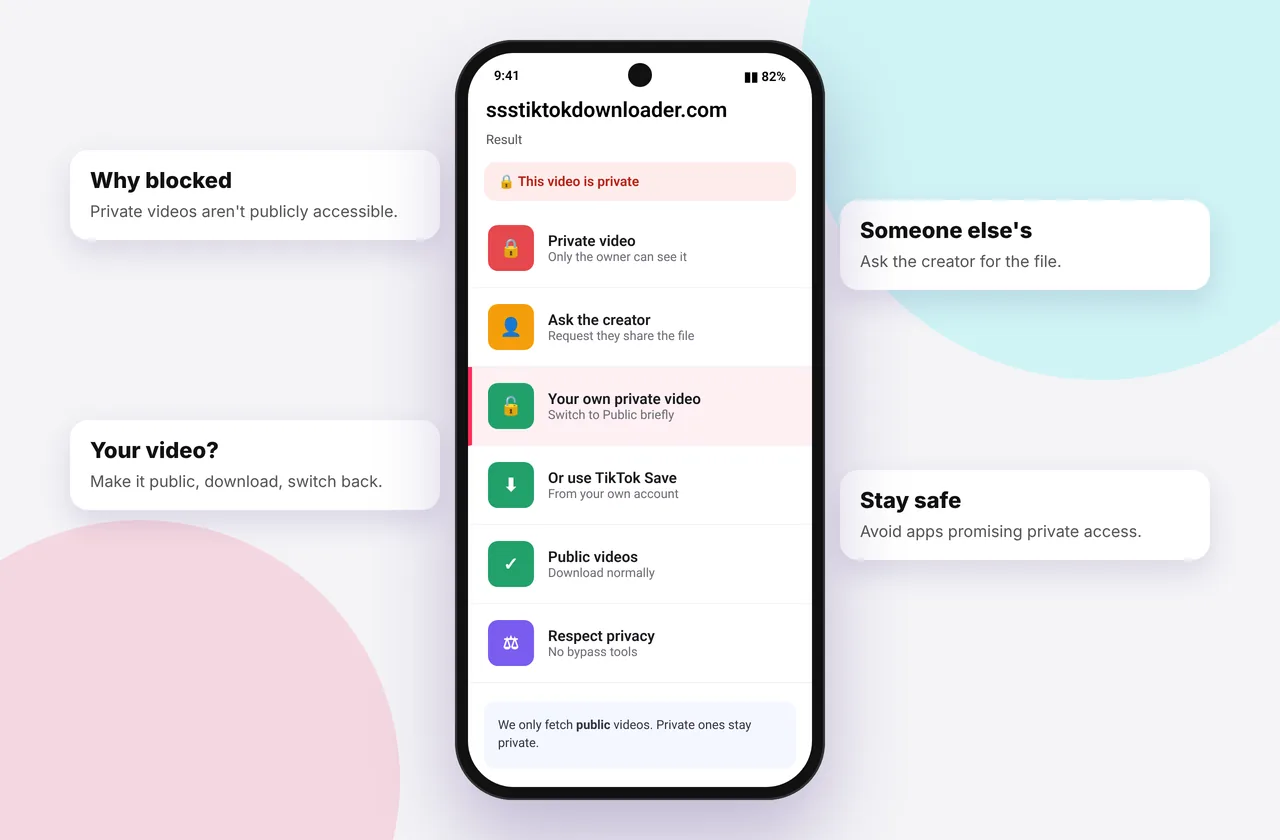
Short answer: no, not with SSSTikTok or any legitimate tool. A private TikTok is only visible to people the creator approved, and accessing it without permission would break the creator's privacy, TikTok's terms and, in many countries, the law. We deliberately don't bypass privacy settings. This page explains what counts as "private", how to tell, and what you can legitimately do.
Our TikTok video downloader only works with public videos, and the reasons are explained below.
Types of restricted TikToks
| Type | Who can see it | Downloadable? |
|---|---|---|
| --- | --- | --- |
| Public | Everyone | Yes |
| Friends only | Mutual followers | No |
| Private ("Only you") | The creator | No (except by the creator in the app) |
| Private account | Approved followers | No |
| Age-restricted | Logged-in users over 18 | Usually no |
| Region-blocked | Viewers in certain countries | Sometimes no |
| Deleted or removed | No one | No |
How to tell if a video is private
Open the link in a private or incognito browser window without logging in. If TikTok shows "This video is private", "Video unavailable" or asks you to log in, it isn't public, and SSSTikTok will show "We couldn't open this post".
Beware of "private TikTok downloader" sites
Sites claiming to download private TikToks usually ask for your login (a phishing risk), install browser extensions with broad permissions, or simply don't work. Never enter your TikTok password on a third-party site. We never ask for it.
Saving your own private videos
If it's your video:
- Open it in TikTok, tap ⋯ → Save video. Creators can save their own private posts.
- Or temporarily change the privacy to Everyone, download a clean copy here, then switch it back. See save TikTok without posting.
- For everything at once, use Settings → Account → Download your data.
Asking the creator
The respectful route is to ask. Many creators are happy to send a file or make a video public for a moment. If you need it for something official, such as a report or evidence, TikTok's own reporting tools are the right channel.
Related
If someone sent you a private video link
A friend might share a link to a friends-only video. It opens for them because they're logged in and approved. For anyone else, including our server, it isn't public. Ask the friend to save it with Save video in the app and send you the file, or to make it public temporarily.
If it's a video you were tagged in
Being tagged doesn't give you access to the file. Ask the creator for a copy, or ask them to switch the video to Everyone briefly.
Region and age restrictions
Some videos are public but restricted in certain countries, or behind an age check. If a video plays for you in the app but fails here, it may be restricted to logged-in adult viewers or blocked in our server's region. There's no legitimate workaround through a downloader. Watch it in the app instead.
Mistakes to avoid
- Entering your TikTok login on any "private downloader" site.
- Installing browser extensions that promise private access. They can read everything you browse.
- Assuming a deleted video still exists somewhere. Once removed, TikTok stops serving it.
Quick device reference
| Device | Best browser | Where files go | Full guide |
|---|---|---|---|
| iPhone | Safari | Files → Downloads, then Share → Save Video | iPhone guide |
| iPad | Safari | Files → Downloads | iPad guide |
| Android | Chrome or Samsung Internet | Download folder and Gallery | Android guide |
| Windows | Chrome, Edge or Firefox | This PC → Downloads (Ctrl + J) | PC guide |
| Mac | Safari or Chrome | Finder → Downloads | Mac guide |
Lost a file? Our page on where TikTok downloads are saved covers every brand and browser.
Every SSSTikTok tool
Safe, private and respectful
- No login, ever. We never ask for your TikTok password. Treat any site that does as a phishing risk.
- No installs. Everything runs in your browser. Ignore any advert that offers an app, extension or "codec".
- No history. Results are cached for about 15 minutes, then deleted. See the privacy policy.
- Public content only. We don't bypass private accounts or deleted posts.
- Credit creators. Saving for personal use is common, but reposting needs permission. Read is it legal to download TikTok videos?
Frequently asked questions
Can SSSTikTok download private TikToks?
No. We only process public videos and don't bypass privacy settings.
Are private TikTok downloader sites safe?
Be careful. Many ask for logins or install risky extensions. Never share your password.
How do I download my own private TikTok?
Use Save video in the app, or temporarily make it public and download it here.
Can I download friends-only videos?
No. They're visible only to mutual followers inside the app.