
TikTok HD vs SD: What Quality Do You Really Get?
A practical comparison of TikTok's HD and SD versions, so you know which download button to press.
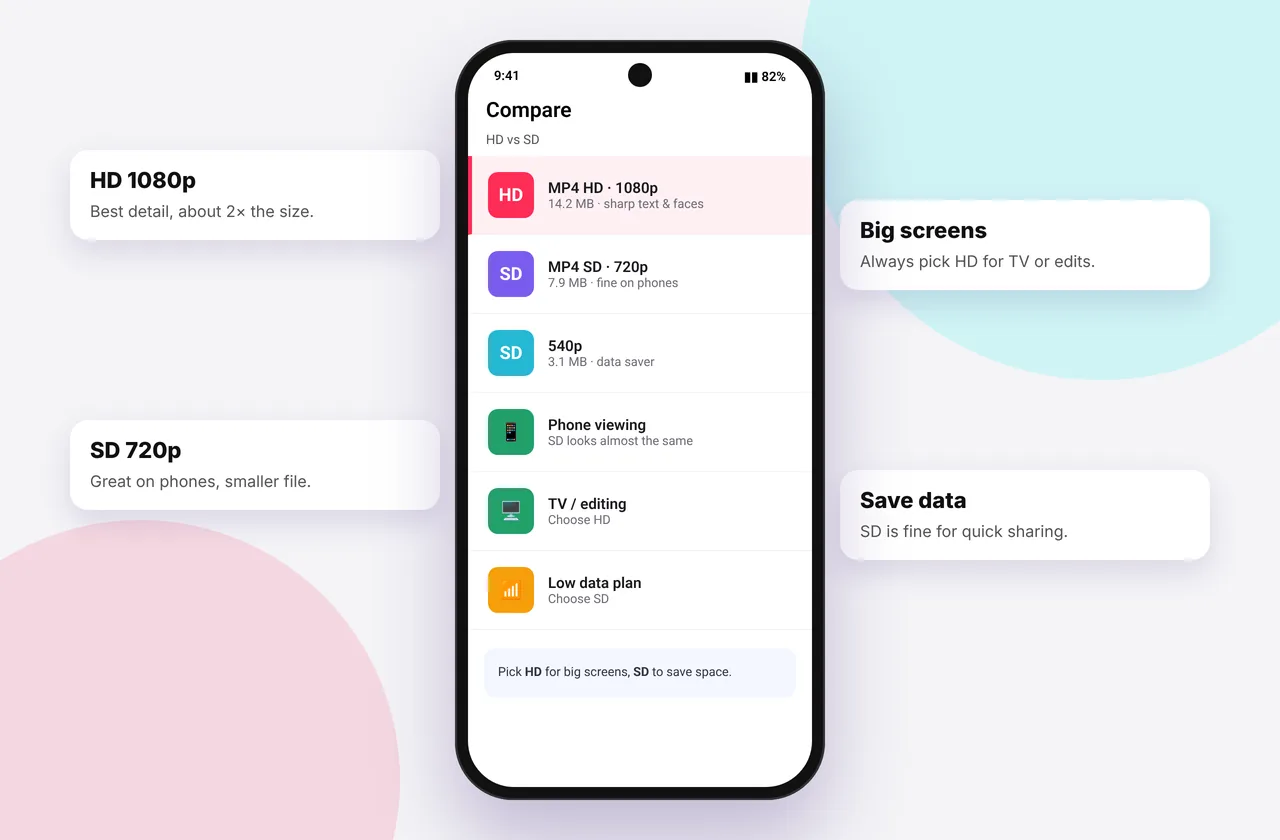
After pasting a link you may see both MP4 · HD and a standard MP4. Is HD always better? Usually, but not always worth the extra megabytes. Here's a clear comparison.
When you save TikTok videos with SSSTikTok, the HD option appears whenever TikTok has a 1080p file.
The short answer
- HD (1080p) is noticeably sharper on tablets, laptops and TVs, and better for editing.
- SD/standard (720p or 540p) looks almost identical on a phone screen and uses half the space or less.
If the HD button doesn't appear, the creator didn't upload in HD, and the standard file is the best one available.
Side-by-side comparison
| HD (1080p) | Standard (720p) | Low (540p) | |
|---|---|---|---|
| --- | --- | --- | --- |
| Pixels | 2.07 million | 0.92 million | 0.59 million |
| Phone viewing | Excellent | Excellent | Good |
| TV / monitor | Sharp | Slightly soft | Visibly soft |
| Editing / re-export | Best | OK | Poor |
| Size per minute | 15–30 MB | 7–15 MB | 4–7 MB |
Why your phone hides the difference
A 6-inch phone has a very high pixel density, so 720p already looks crisp at arm's length. The difference appears when the image is enlarged, for example cast to a TV, played full-screen on a laptop, or cropped and zoomed in an editor.
When to choose HD
- You'll watch on a big screen
- You're editing your own TikTok for Reels, Shorts or YouTube
- You want an archive copy of your own content
- The video has fine detail such as text, landscapes or product close-ups
When standard is fine
- Quick saves for phone viewing
- You're low on storage or on mobile data
- You'll share through WhatsApp, which compresses everything anyway
Why HD sometimes isn't offered
TikTok only keeps a 1080p rendition when the creator uploads in high quality with "Upload HD" switched on. Screen recordings, re-uploads and videos posted on data saver usually top out at 720p or 540p. A tool that offers "HD" for those is upscaling, which doesn't add real detail. We show only real renditions. More in TikTok to MP4 quality explained.
How to check the resolution of your download
- iPhone: open the video in Photos, swipe up and look for the resolution, e.g. 1080 × 1920.
- Android: Gallery → video → ⋮ → Details.
- Windows: right-click → Properties → Details.
- Mac: select the file and press ⌘ + I.
Get the best version
Use the TikTok HD downloader, which always lists the highest rendition first. If it still looks blurry, read why TikTok downloads are low quality. For regular saves, the MP4 downloader is ideal.
Real-world examples
- Talking-head video on a phone: SD and HD look almost identical. Save the space.
- Travel landscape on a laptop: HD is clearly better. Fine detail such as leaves and water turns to mush in SD.
- Text-heavy tutorial: HD keeps small text readable when you pause, so always choose HD.
- Dance video for a group chat: SD is fine, because the messaging app will compress it anyway.
What about data usage?
If you download on mobile data, HD can use 15–30 MB per minute against roughly 7–15 MB for standard. For ten one-minute videos, that's the difference between about 150 MB and 300 MB. On a limited plan, download HD only for the clips you'll watch on a bigger screen.
Mistakes to avoid
- Assuming the HD button is missing because of a bug. It means no HD file exists.
- Downloading HD and then sending it through a messaging app that compresses it back down.
- Using an "AI upscaler" and expecting real detail. It sharpens edges but invents texture.
Quick device reference
| Device | Best browser | Where files go | Full guide |
|---|---|---|---|
| iPhone | Safari | Files → Downloads, then Share → Save Video | iPhone guide |
| iPad | Safari | Files → Downloads | iPad guide |
| Android | Chrome or Samsung Internet | Download folder and Gallery | Android guide |
| Windows | Chrome, Edge or Firefox | This PC → Downloads (Ctrl + J) | PC guide |
| Mac | Safari or Chrome | Finder → Downloads | Mac guide |
Lost a file? Our page on where TikTok downloads are saved covers every brand and browser.
Every SSSTikTok tool
Safe, private and respectful
- No login, ever. We never ask for your TikTok password. Treat any site that does as a phishing risk.
- No installs. Everything runs in your browser. Ignore any advert that offers an app, extension or "codec".
- No history. Results are cached for about 15 minutes, then deleted. See the privacy policy.
- Public content only. We don't bypass private accounts or deleted posts.
- Credit creators. Saving for personal use is common, but reposting needs permission. Read is it legal to download TikTok videos?
Frequently asked questions
Is HD always better than SD?
It's sharper, but on a phone the difference is small, and HD files are about twice the size.
Why don't I see an HD option?
The creator didn't upload an HD version.
Can SD be upscaled to HD?
It can be enlarged, but no real detail is added.
Which should I pick for Instagram Reels?
HD, for the best result after Instagram's own compression.