
TikTok Video Size and Length Guide
Every number you need for TikTok video: length limits, dimensions, aspect ratios and typical file sizes.
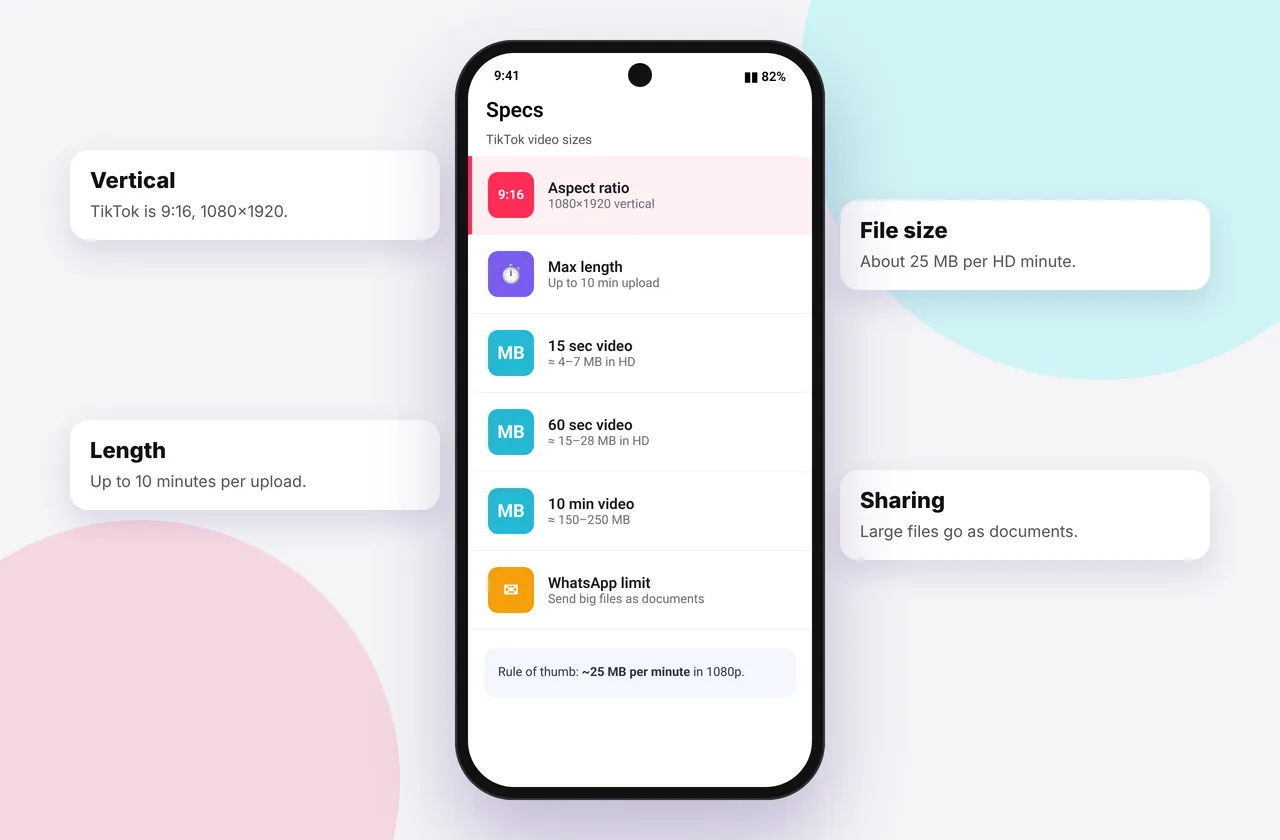
A quick reference for creators and anyone downloading TikTok videos. TikTok changes its limits from time to time, so check the app if a number looks different for your account.
Every size and length below works with our free TikTok video download tool.
Recommended video specs
| Spec | Recommended |
|---|---|
| --- | --- |
| Dimensions | 1080 × 1920 px |
| Aspect ratio | 9:16 (vertical) |
| Frame rate | 30 fps (60 fps supported) |
| Format | MP4 or MOV |
| Video codec | H.264 |
| Audio | AAC, 44.1 kHz stereo |
Square (1:1) and landscape (16:9) videos upload too, but appear with bars and get less screen space.
Length limits
- In-app recording: options typically include 15 seconds, 60 seconds and 10 minutes
- Uploaded videos: up to about 10 minutes for most accounts, and longer for some users and regions
- Stories: short clips that disappear after 24 hours
- Photo mode: up to around 35 images per post
Upload file size limits
TikTok has historically allowed uploads of roughly 287 MB on iOS, 72 MB on Android and up to several GB on desktop. Desktop uploads are best for long, high-bitrate videos. TikTok compresses everything after upload, so huge files don't mean better playback.
Downloaded file sizes
| Length | 720p MP4 | 1080p MP4 | MP3 |
|---|---|---|---|
| --- | --- | --- | --- |
| 15 s | 2–4 MB | 4–8 MB | 0.25 MB |
| 60 s | 7–15 MB | 15–30 MB | 1 MB |
| 3 min | 20–45 MB | 45–90 MB | 3 MB |
| 10 min | 70–150 MB | 150–300 MB | 10 MB |
The exact size depends on motion and detail. See MP4 quality explained.
Safe zones for text
TikTok's interface covers parts of the screen. Keep text and faces in the centre, and avoid:
- the bottom ~20% (caption and sound name)
- the right ~15% (like, comment and share buttons)
- the top ~10% (Following and For You tabs)
Cover image size
Covers are taken from a frame at 1080 × 1920, but the profile grid crops to roughly 3:4, so keep the key part of your cover in the middle. You can save any cover with the thumbnail downloader.
Tips for best quality
- Turn on Upload HD and off Data saver
- Export from editors at 1080p rather than 4K, because TikTok downscales anyway
- Use good lighting. It matters more than resolution after compression
Related: HD vs SD, low-quality downloads and the HD downloader.
Choosing length for engagement
Short videos of 15–30 seconds are easy to rewatch, and completion rate matters for reach. Longer videos of 1–3 minutes suit tutorials and storytelling, where viewers expect depth. Videos up to 10 minutes work for detailed content, but hook viewers in the first two seconds.
Preparing an upload for best quality
- Shoot at 1080p, 30 fps in good light.
- Edit on a 1080 × 1920 canvas.
- Export with a bitrate around 10–16 Mbps. TikTok re-encodes anyway, so a cleaner source simply survives compression better.
- Upload over Wi-Fi with Upload HD turned on.
Mistakes to avoid
- Uploading a landscape video, which wastes most of the screen.
- Placing captions at the very bottom, where TikTok's interface covers them.
- Exporting in 4K, which wastes upload time without improving playback.
Quick device reference
| Device | Best browser | Where files go | Full guide |
|---|---|---|---|
| iPhone | Safari | Files → Downloads, then Share → Save Video | iPhone guide |
| iPad | Safari | Files → Downloads | iPad guide |
| Android | Chrome or Samsung Internet | Download folder and Gallery | Android guide |
| Windows | Chrome, Edge or Firefox | This PC → Downloads (Ctrl + J) | PC guide |
| Mac | Safari or Chrome | Finder → Downloads | Mac guide |
Lost a file? Our page on where TikTok downloads are saved covers every brand and browser.
Every SSSTikTok tool
Safe, private and respectful
- No login, ever. We never ask for your TikTok password. Treat any site that does as a phishing risk.
- No installs. Everything runs in your browser. Ignore any advert that offers an app, extension or "codec".
- No history. Results are cached for about 15 minutes, then deleted. See the privacy policy.
- Public content only. We don't bypass private accounts or deleted posts.
- Credit creators. Saving for personal use is common, but reposting needs permission. Read is it legal to download TikTok videos?
Frequently asked questions
What is the best TikTok video size?
1080 × 1920 pixels in 9:16 vertical format.
How long can a TikTok video be?
Up to about 10 minutes for most uploads, and longer for some accounts.
How big is a downloaded 1-minute TikTok?
About 7–15 MB at 720p or 15–30 MB at 1080p.
What frame rate should I use?
30 fps is standard. 60 fps is supported.