
How to Save a TikTok Without Posting It
Made a TikTok you want to keep but not publish? Here are four ways to save it to your phone.
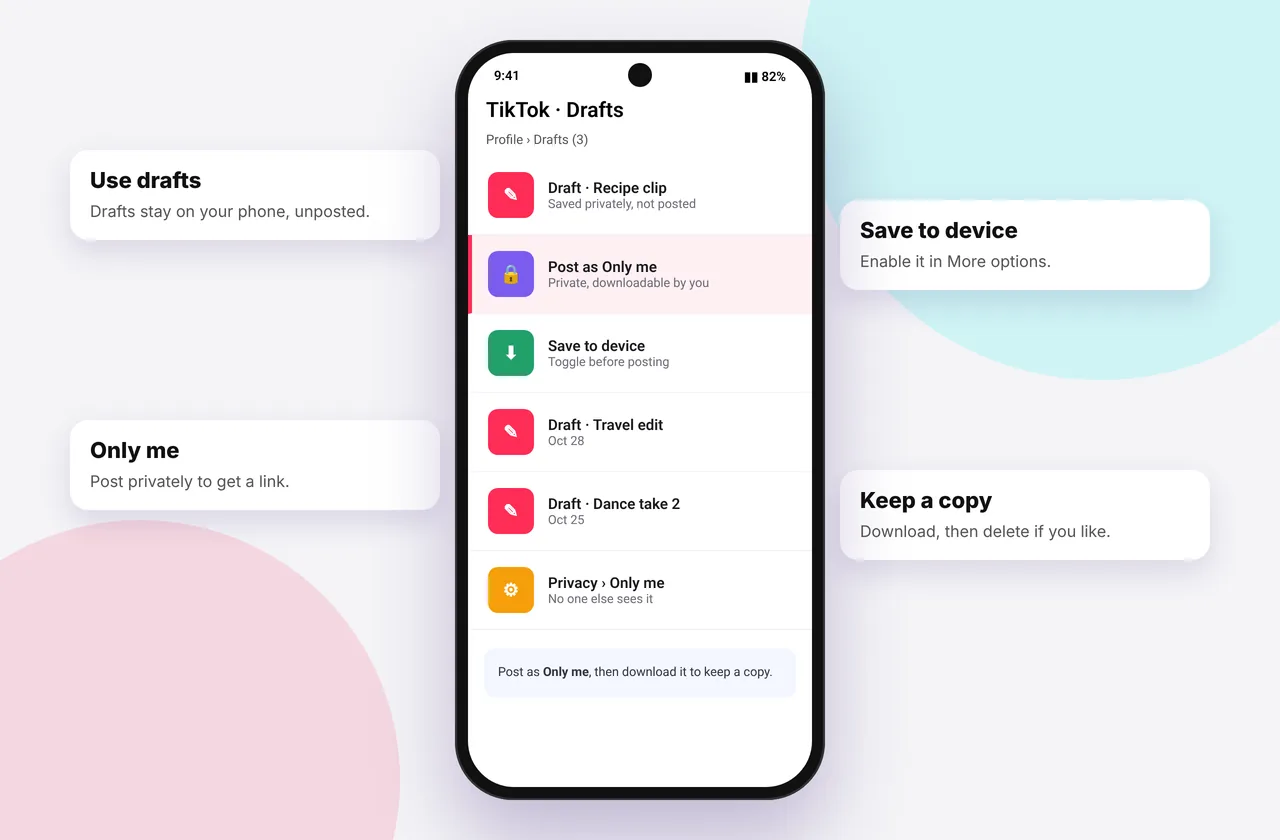
You've filmed and edited a TikTok, but you're not ready to post, or you want it for Instagram instead. TikTok doesn't have an obvious "export" button, but there are four reliable ways to keep your video.
The same tool lets you save TikTok videos of your own with no logo.
Method 1: Save as a draft (inside TikTok)
On the post screen, tap Drafts instead of Post. The video stays in Profile → Drafts. Drafts stay on this device only, though. Delete the app or change phones and they're gone. Use one of the methods below to get a real file.
Method 2: The "Save to device" toggle
- On the post screen, tap More options (or ⋯).
- Turn on Save to device (also called "Save posts to device").
- Post the video with privacy set to Only me (see method 3). TikTok saves a copy to your camera roll.
Depending on your app version and region, this copy may or may not include a watermark.
Method 3: Post privately, then download clean
- On the post screen, set Who can watch this video to Only me.
- Post. Only you can see it.
- Temporarily set it to Everyone, copy the link, download it with SSSTikTok using MP4 · No watermark or HD, then set it back to Only me.
That gives you a clean, full-quality file. Private videos can't be fetched by any downloader while private, so the brief switch is needed. See private TikTok videos.
Method 4: Edit in CapCut instead
CapCut (from the same company as TikTok) exports straight to your camera roll at up to 4K with no watermark if you remove the ending clip. Then post the finished video to TikTok or anywhere else.
Which method is best?
| Goal | Best method |
|---|---|
| --- | --- |
| Finish later on the same phone | Draft |
| Quick copy to camera roll | Save to device |
| Clean HD file for Reels or Shorts | Post privately + download |
| Maximum quality and control | CapCut |
Tips
- Back up drafts regularly. They're lost if you uninstall TikTok.
- Use HD so the file is 1080p where available.
- Move files into an album so you can find them later (camera roll guide).
Related: how to remove the TikTok watermark.
Worked example
You've made a birthday video for a friend and don't want it public. Post it with Who can watch: Only me. Later, open it, switch it to Everyone for a minute, copy the link, download the HD MP4 here, then set it back to Only me. Send the file privately. Your followers never see it.
Protecting drafts
Drafts live only in the TikTok app on that phone. Before you change phones, reset your phone or uninstall TikTok, export any draft you want to keep: post it as Only me and download it, or turn on Save to device. Otherwise drafts are lost.
Mistakes to avoid
- Forgetting to switch a temporarily public video back to private.
- Relying on drafts as a backup.
- Expecting a downloader to fetch a video while it's set to Only me. It must be public at that moment.
Quick device reference
| Device | Best browser | Where files go | Full guide |
|---|---|---|---|
| iPhone | Safari | Files → Downloads, then Share → Save Video | iPhone guide |
| iPad | Safari | Files → Downloads | iPad guide |
| Android | Chrome or Samsung Internet | Download folder and Gallery | Android guide |
| Windows | Chrome, Edge or Firefox | This PC → Downloads (Ctrl + J) | PC guide |
| Mac | Safari or Chrome | Finder → Downloads | Mac guide |
Lost a file? Our page on where TikTok downloads are saved covers every brand and browser.
Every SSSTikTok tool
Safe, private and respectful
- No login, ever. We never ask for your TikTok password. Treat any site that does as a phishing risk.
- No installs. Everything runs in your browser. Ignore any advert that offers an app, extension or "codec".
- No history. Results are cached for about 15 minutes, then deleted. See the privacy policy.
- Public content only. We don't bypass private accounts or deleted posts.
- Credit creators. Saving for personal use is common, but reposting needs permission. Read is it legal to download TikTok videos?
Frequently asked questions
Can I save a TikTok without posting it?
Yes. Save it as a draft, use the Save to device toggle with Only me, or post privately and download it.
Are TikTok drafts backed up?
No. They're stored on your device only.
How do I get my own TikTok without a watermark?
Post it as Only me, briefly make it public, download the clean MP4, then make it private again.
Does CapCut add a watermark?
Only an ending clip, which you can delete before exporting.