
How to Download TikTok Audio Without the Video
Keep just the sound from any TikTok, from songs to voice-overs and original audio, as a small audio file.
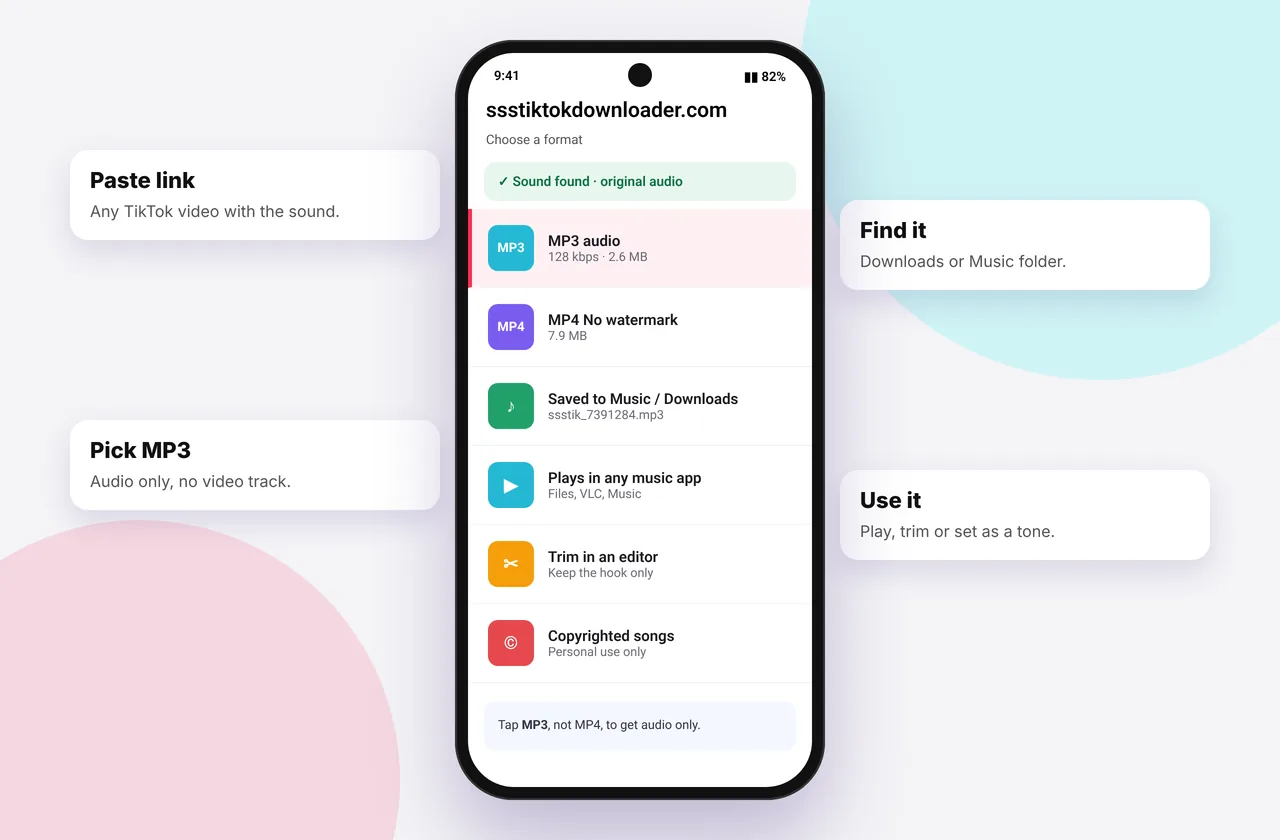
Sometimes the video doesn't matter. You want the voice-over, the song snippet or the original sound. Downloading only the audio saves space and gives you a file that works in any music player, podcast app or editor.
The same box that powers our TikTok video download tool also extracts the audio track.
How to save TikTok audio
- Copy the link (Share → Copy link).
- Paste it into the TikTok MP3 downloader or the box on the homepage.
- Tap MP3 · Audio.
The file goes to your Downloads. See where TikTok downloads are saved.
MP3 vs M4A: what's the difference?
| MP3 | M4A (AAC) | |
|---|---|---|
| --- | --- | --- |
| Compatibility | Everything, including old car stereos | All modern phones, computers and apps |
| Quality at 128 kbps | Good | Slightly better |
| Typical source on TikTok | Music library tracks | Original sounds from the video |
We deliver whichever format TikTok stores, without converting, because conversion would lose quality. If a device insists on MP3, a free converter can change M4A to MP3 at 192 kbps with little audible loss.
What audio you'll get
- Original sound: the creator's voice, recorded audio or remix
- Library songs: the snippet used, usually 15–60 seconds
- Mixed tracks: voice and music combined as heard in the video
TikTok doesn't store separate voice and music layers for viewers, so you can't split them without an AI vocal-remover tool, and the results vary.
File sizes
At around 128 kbps, audio uses roughly 1 MB per minute, about a tenth of an HD video. That's useful when your phone is nearly full. Compare it with video in TikTok to MP4 quality explained.
Ideas for TikTok audio
- Ringtones and alarms: see the ringtone guide
- Language learning: replay short phrases from native speakers
- Study notes: transcribe explainers with your phone's dictation
- Background music for your own edits, where licensing allows. Prefer TikTok's commercial sound library for brand content.
- Finding the full song: run the clip through a song-recognition app
Silent audio files
If the file has no sound, TikTok has muted or removed the track. Try another video that uses the same sound by tapping the sound name in TikTok to see others, or read no sound after download.
Rights reminder
Songs on TikTok remain the property of the artist and label. Personal listening is fine, but redistributing or monetising the audio needs permission. See is it legal to download TikTok videos?.
Getting audio from a video you already downloaded
If you saved the MP4 but now want just the sound:
- iPhone: open the video in GarageBand or iMovie and export audio only, or download the MP3 again from the original link.
- Android: use a free "video to MP3" app, or download the MP3 from the link.
- Mac: QuickTime → File → Export As → Audio Only.
- Windows/Mac/Linux: VLC → Media → Convert/Save and choose an audio profile.
Downloading the MP3 straight from the link is usually best, because it avoids an extra encoding step.
Mistakes to avoid
- Converting M4A to MP3 at a low bitrate such as 64 kbps. Use 192 kbps or higher if you must convert.
- Expecting the full song. TikTok only stores the clip used in the video.
- Assuming a silent file is broken. It usually means TikTok muted the sound.
Quick device reference
| Device | Best browser | Where files go | Full guide |
|---|---|---|---|
| iPhone | Safari | Files → Downloads, then Share → Save Video | iPhone guide |
| iPad | Safari | Files → Downloads | iPad guide |
| Android | Chrome or Samsung Internet | Download folder and Gallery | Android guide |
| Windows | Chrome, Edge or Firefox | This PC → Downloads (Ctrl + J) | PC guide |
| Mac | Safari or Chrome | Finder → Downloads | Mac guide |
Lost a file? Our page on where TikTok downloads are saved covers every brand and browser.
Every SSSTikTok tool
Safe, private and respectful
- No login, ever. We never ask for your TikTok password. Treat any site that does as a phishing risk.
- No installs. Everything runs in your browser. Ignore any advert that offers an app, extension or "codec".
- No history. Results are cached for about 15 minutes, then deleted. See the privacy policy.
- Public content only. We don't bypass private accounts or deleted posts.
- Credit creators. Saving for personal use is common, but reposting needs permission. Read is it legal to download TikTok videos?
Frequently asked questions
Can I download only the audio from a TikTok?
Yes. Choose MP3 · Audio after pasting the link.
Why did I get an M4A file?
Some sounds are stored as AAC in an M4A container. They play everywhere.
Can I separate the voice from the music?
Not with a standard download. TikTok stores them combined.
How big is a TikTok MP3?
About 1 MB per minute.